

Getting started
What is Wisdom?
An open-source recorder for coding agents, and the way you and your agents read what it recorded.
Wisdom records your coding agent’s sessions on your own machine: what you asked, what the agent ran, which files it changed, and what it said it did. You read those sessions in the terminal or a local dashboard, and your agents read them through a skill, so the next agent starts from what actually happened.
It works with:
 Claude Code
 Codex CLI
 Pi
npm install -g @oqura/wisdom # Node.js 24 or newercd your-projectwisdom connect # then start your agent here as usualThat’s the whole setup. Quick start walks through it and reads your first session back.
What you can do with it
Section titled “What you can do with it”- Review an agent’s work against the request behind it, not only against its final reply.
- See the test that failed before the fix, and the approach the agent tried and dropped.
- Hand unfinished work to another agent, even a different one, that reads the session first.
- Review a teammate’s pull request with the session behind each commit, in team mode.
- Find the session behind a change weeks later, starting from its commit, from the terminal or from any agent.
A diff shows what changed. The session shows why, and it’s gone once the terminal closes unless something records it.
How it works
Section titled “How it works”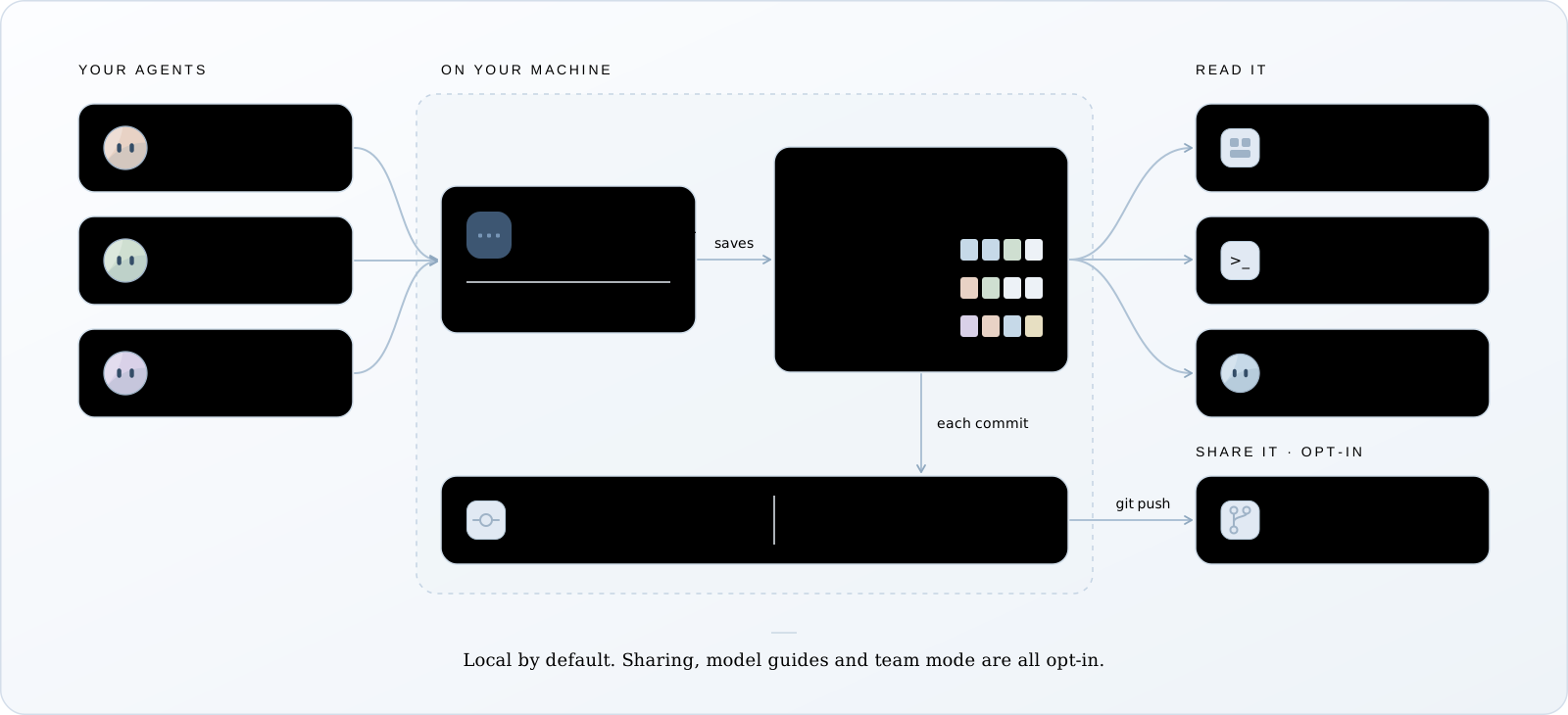
- Your agent’s own hooks send each event (a prompt, a tool call, its result) to a small
background service on
127.0.0.1. - The service saves it in the project’s
.wisdom/folder, together with a byte-for-byte copy of the agent’s transcript and a diff of every file change it observed. - You read it in the dashboard or the terminal. Your agents read it through a skill Wisdom gives them.
- When you commit, Wisdom keeps a record in your repository’s
.gitthat links each change to the step that made it. In team mode, yourgit pushshares those records and their sessions with your team.
More detail in How it works.
Where to start
Section titled “Where to start”For coding agents, these docs are also published as plain text:
llms.txt is the index, and
llms-full.txt has every page in one file.
Common questions
Section titled “Common questions”Does it slow down my agent?
Each hook sends one request to a service on your own machine. If the service doesn’t answer, the hook writes the event to disk and the agent carries on. Wisdom never blocks your agent.
Does it send my code or prompts anywhere?
No. Everything stays in the project’s .wisdom/ folder. A recording leaves your machine only
when you run wisdom share or wisdom export, or push in
team mode, which you turn on per repository. All of
them check for secrets first. See Privacy.
Does it use a model, or cost tokens?
Recording uses no model and costs nothing. Nothing is summarized. When one of your agents reads a session, that reading counts toward your agent’s own usage, like any other command output.
The one place a model writes anything is a commit guide, and only when you ask for one or turn on team mode. By default it runs through your own Claude Code.
Do I need to change how I start my agent?
No. After wisdom connect, you start claude, codex or pi as usual, with your own login.
See Record sessions for the one rule each agent has.
Does it change my global agent settings?
No. Wisdom never edits ~/.claude, ~/.codex or ~/.pi/agent. It writes only to the
project’s own settings, keeps them out of git, and wisdom disconnect removes exactly that.