

Concepts
How it works
How an event travels from your agent's hook to a record you can read.
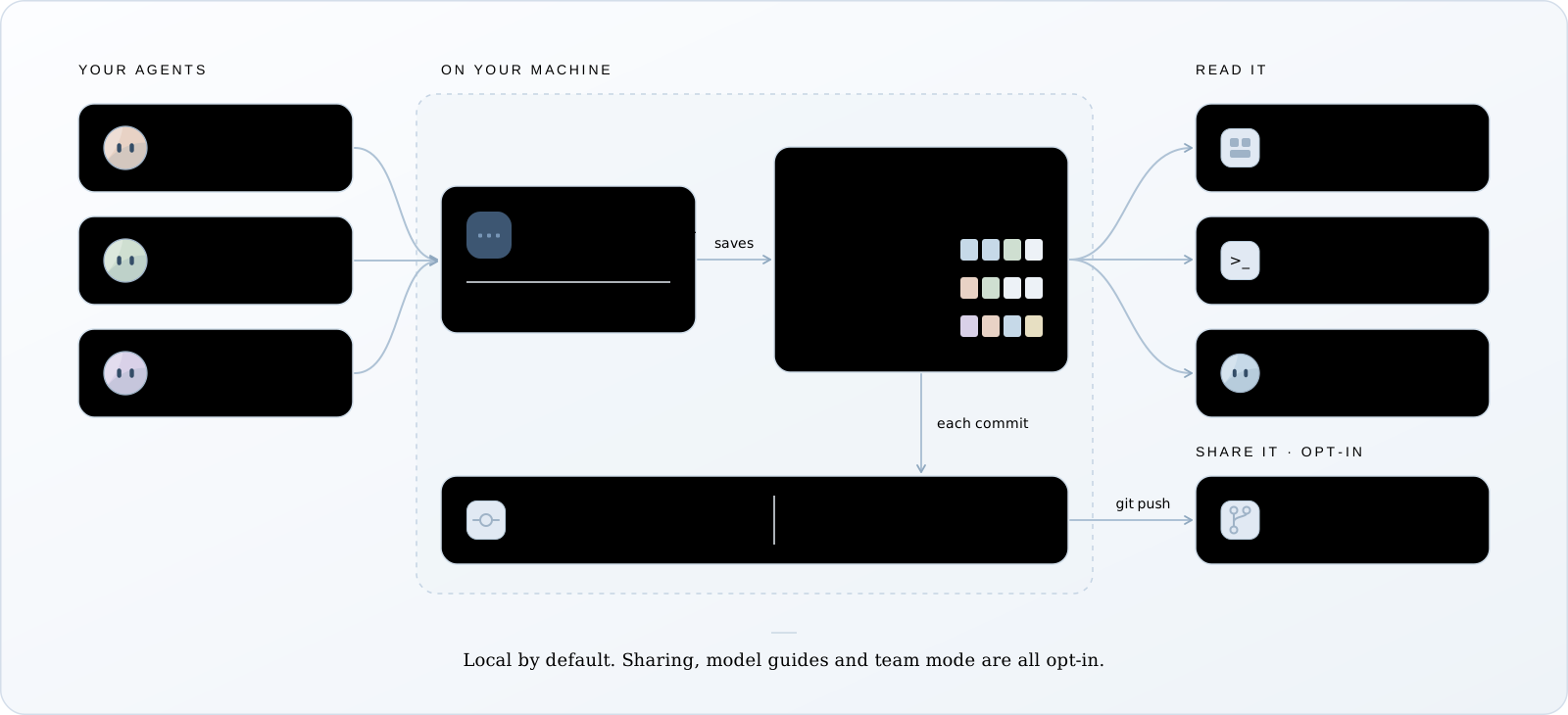
Wisdom has three parts: hooks inside your agent, a background service on your machine, and the readers (the CLI, the dashboard and your agents’ skill). This page follows one event through them.
One event’s path
Section titled “One event’s path”- The agent’s own hook fires. Claude Code and Codex call Wisdom’s hook; Pi loads Wisdom’s extension. The hook posts the event to the background service and returns at once.
- The service finds the session. Every event names its agent’s session ID. The first event opens a record for it; a later one, after a pause or a resume, continues it.
- The service compares files. It keeps a baseline of the project’s files in memory. When a tool finishes, it checks what changed and stores a diff, labelled with the tool call that was running.
- The record goes into SQLite. Large bodies (tool output, diffs) are saved as files named by their SHA-256 hash. The agent’s own transcript is copied byte for byte beside it.
If the service can’t take the event, the hook writes it to .wisdom/spool/, starts the
service, and returns.
One session, one record
Section titled “One session, one record”Wisdom records each session under the agent’s own session ID; there’s no second ID. Two
sessions running at once, such as a background /fork, are two records. A record closes when
the agent ends the session, or after 10 idle minutes, and the next event continues it.
Who changed a file
Section titled “Who changed a file”Wisdom sees when a file changed, not who changed it:
observed during c1: the change happened while tool callc1was running. Usually that call made it, but timing isn’t proof.external-or-unknown: no tool was running. You, your editor, or another process.
Two agents working in one folder see each other’s changes. Wisdom labels them honestly, but can’t always tell them apart. When you read a commit, each change goes to the session whose own tool call named the file or held its text; when none did, every session that saw it is listed.
From sessions to commits
Section titled “From sessions to commits”When you commit, Wisdom matches each change in the commit to the recorded step that produced
those exact file contents, and keeps the answer as a record in your repository’s .git, under
refs/wisdom/records/. It’s never on a branch, and a normal push doesn’t send it. See
Read a commit.
In team mode, which you turn on per repository, your
git push also sends these records and the sessions they name to your own git remote, with
secrets redacted. Teammates and CI read them from there.
Reads that hold still
Section titled “Reads that hold still”Every record gets a version number, and every answer states the version it read. Pass it back
with --at and you see exactly the same evidence, even while the session keeps recording.
This is how a long answer can be read in pages without gaps or repeats.